DirectMint
Get Direct PDF Download Link of Any Study Materials
How to Get the Teachmint Link (Step by Step)
Step 1: Open the PDF in Teachmint website. Find the sidebar icon as shown below and click it.
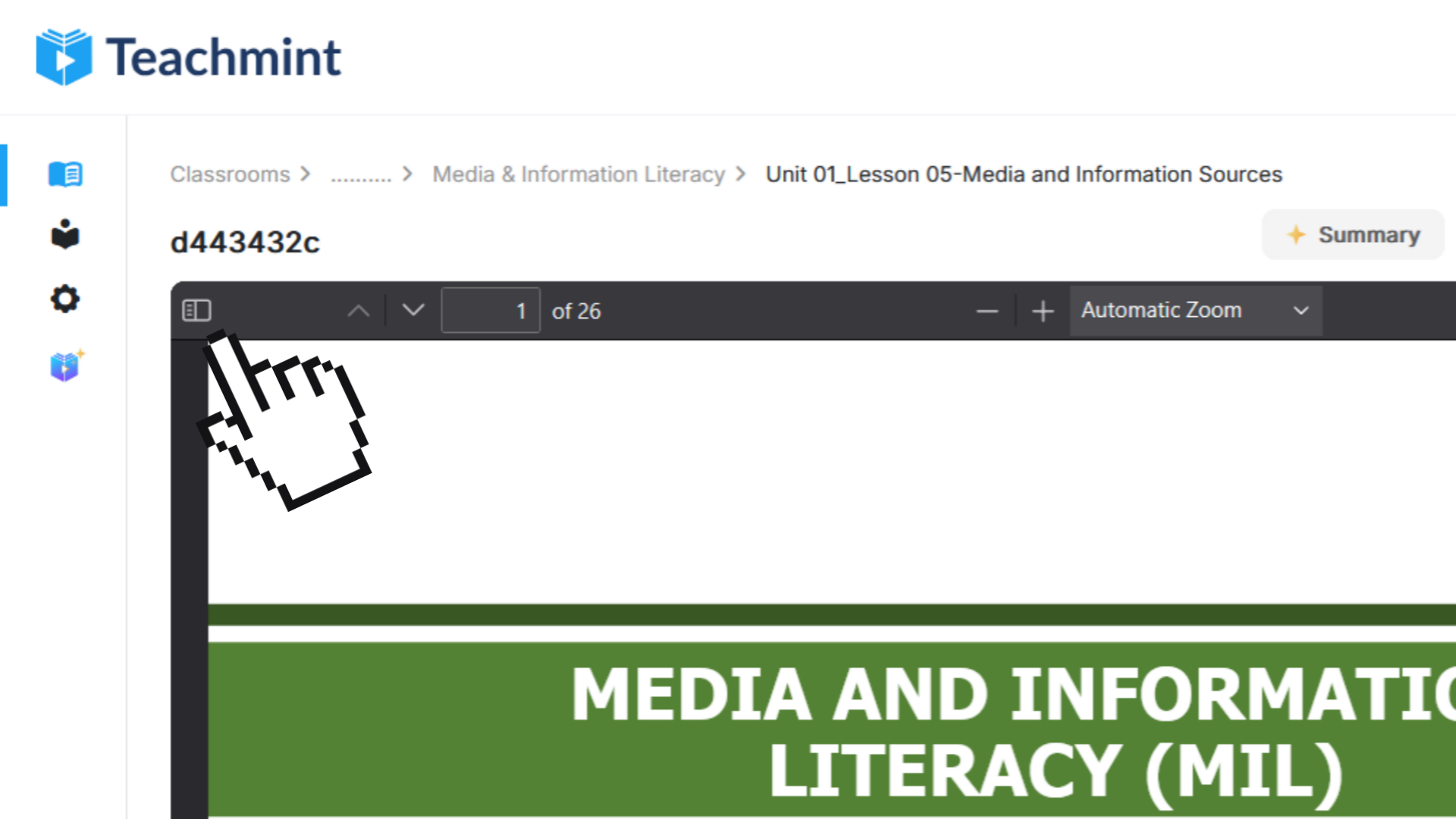
Step 2: Choose any page you like (I choose 7 because she's special).
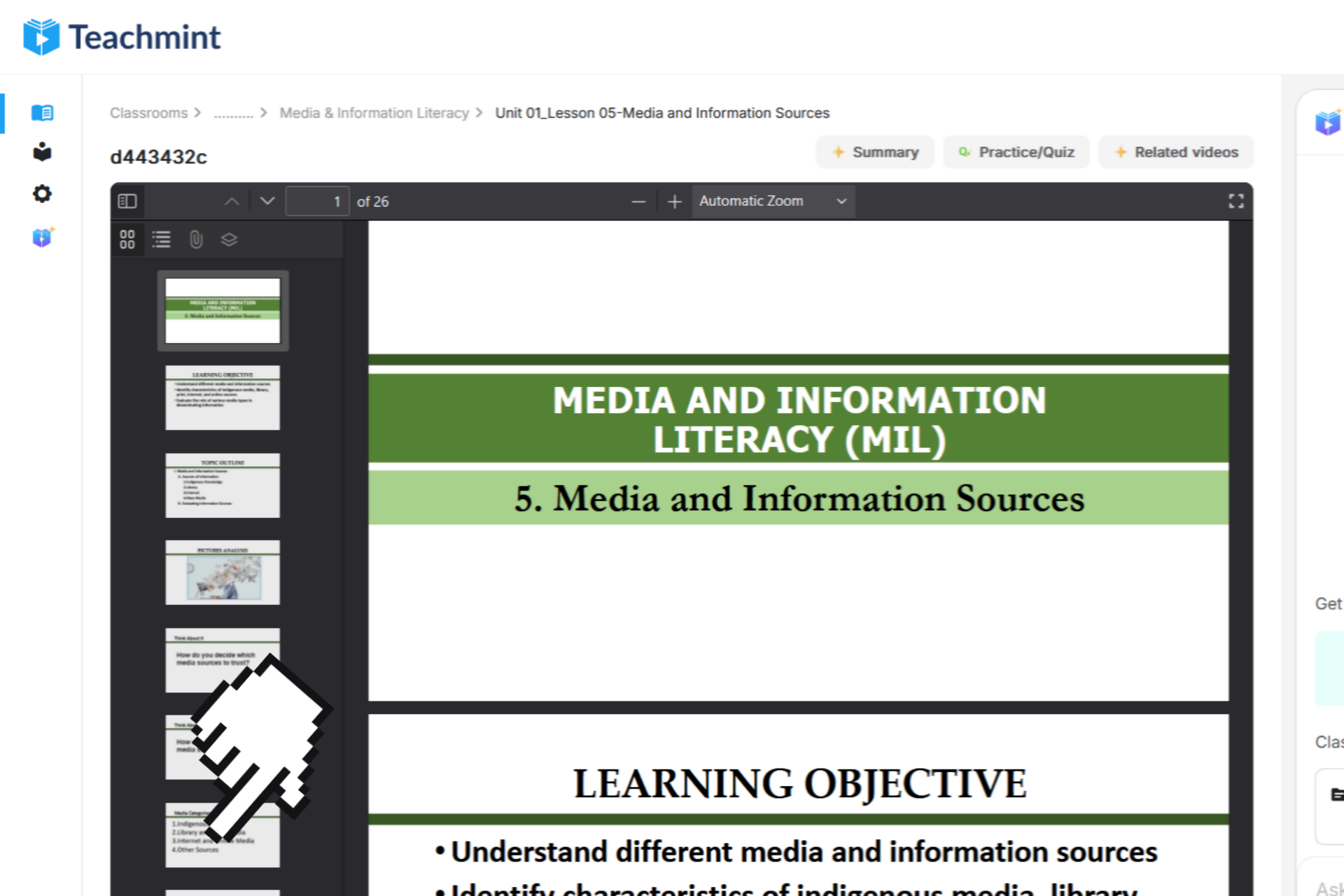
Step 3: Then, right click / long press on the chosen page.
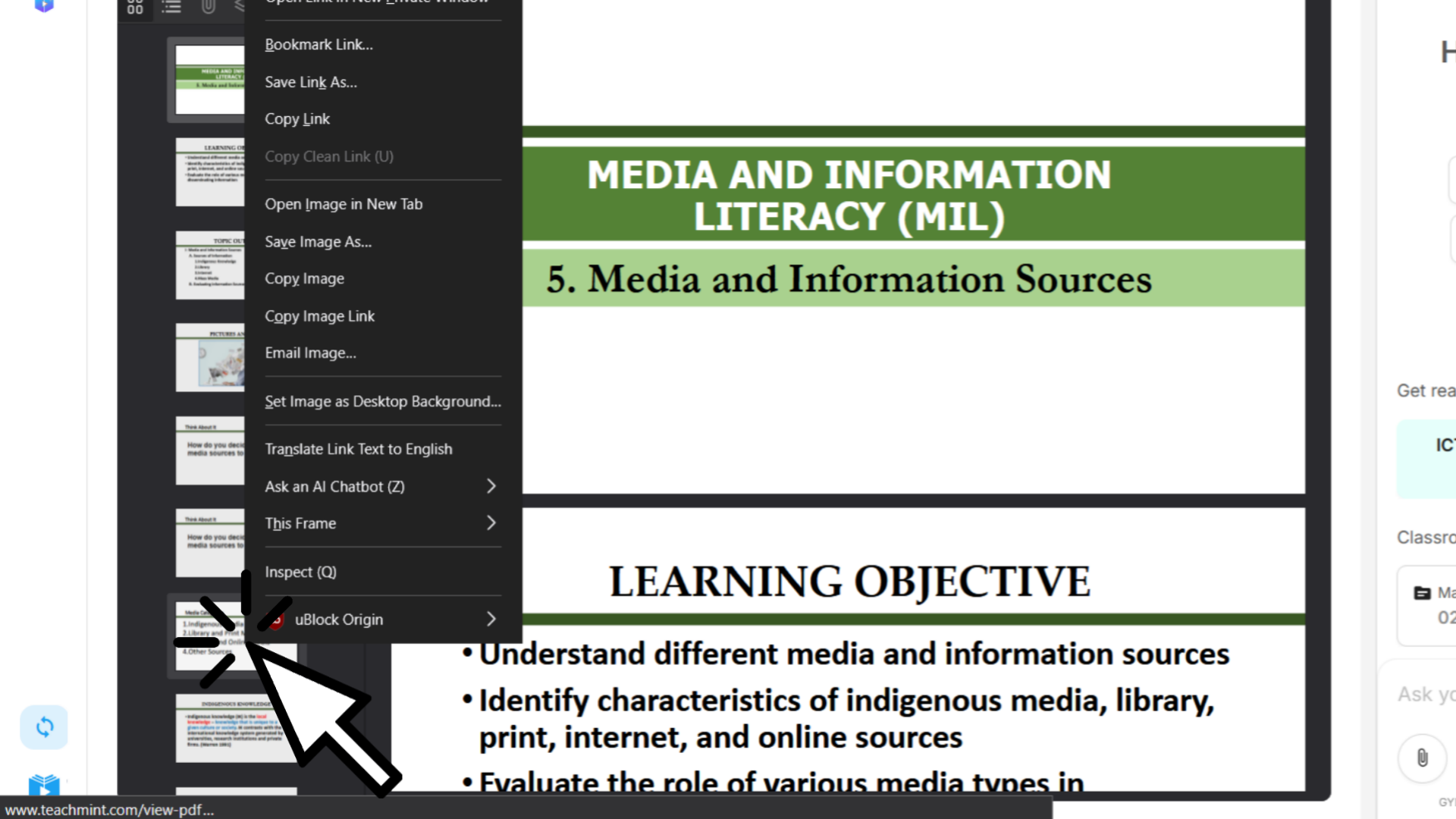
Step 4: After that, just select Copy Link from the options.
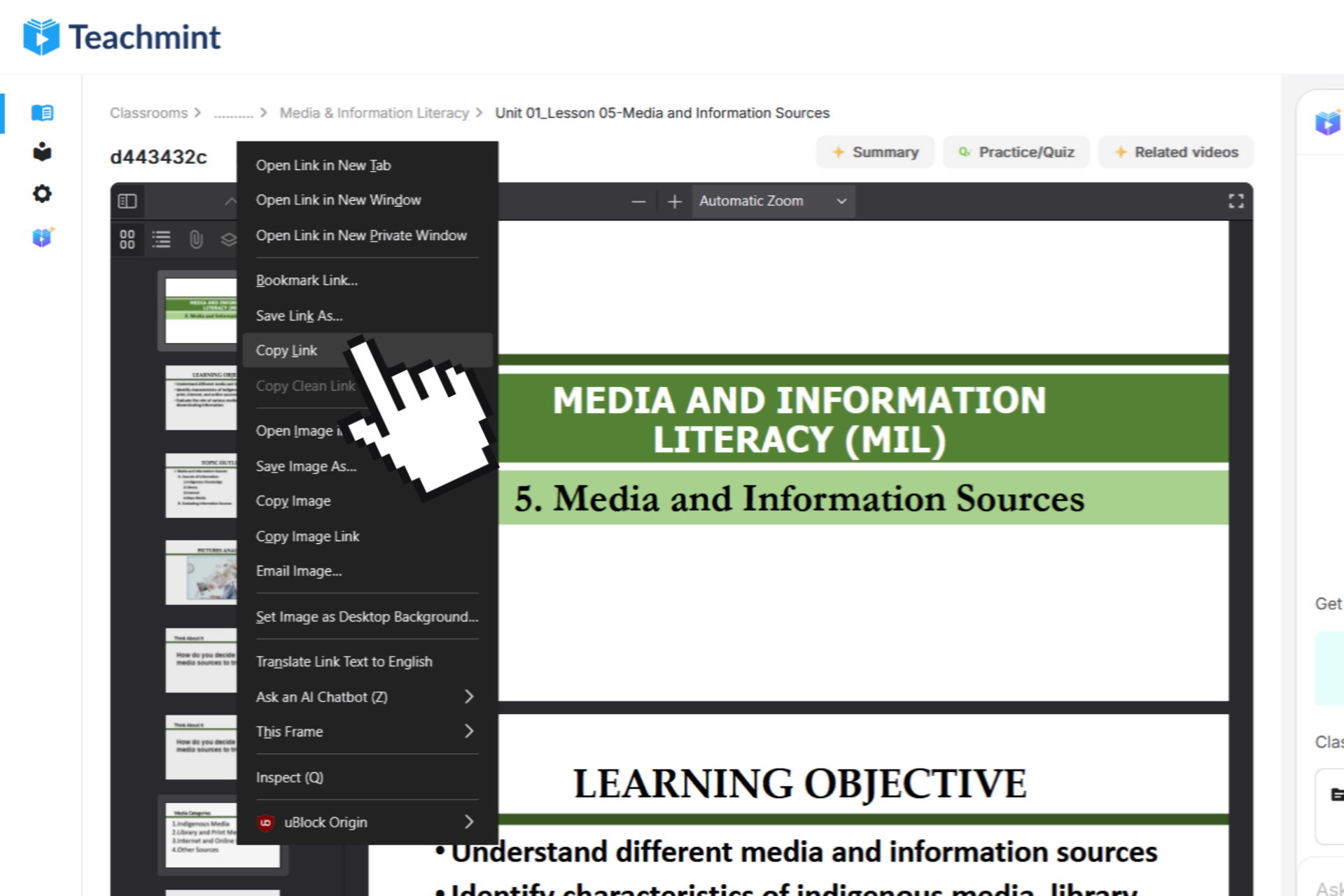
Step 5: Paste it here ↑ and click Convert!
What about in mobile?
Totally the same steps, you just have to change one setting in your web browser.
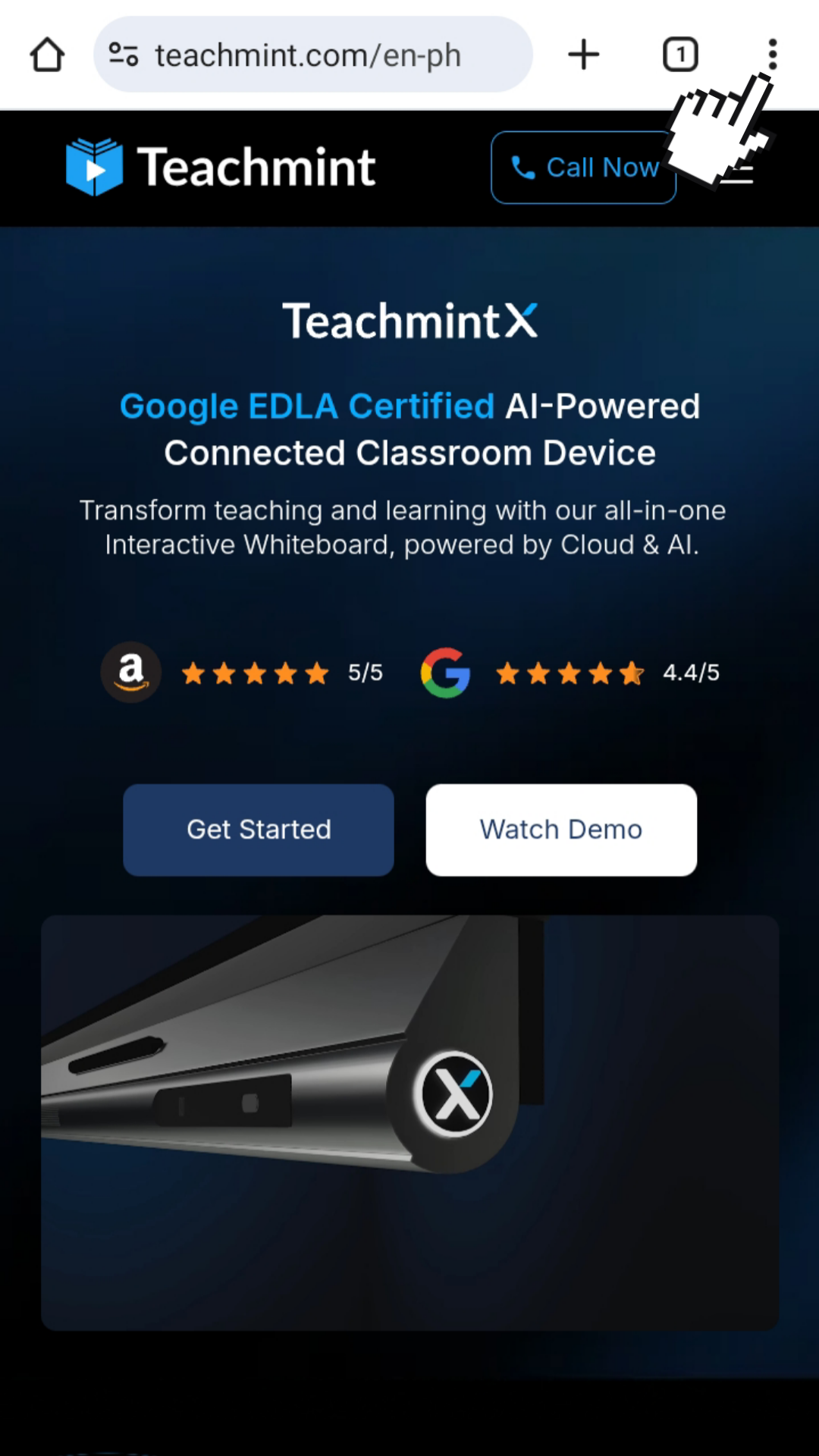
Step 1: While the Teachmint website is open on your browser, click the three dots on the top right.
Step 2: Then, check Desktop Site.
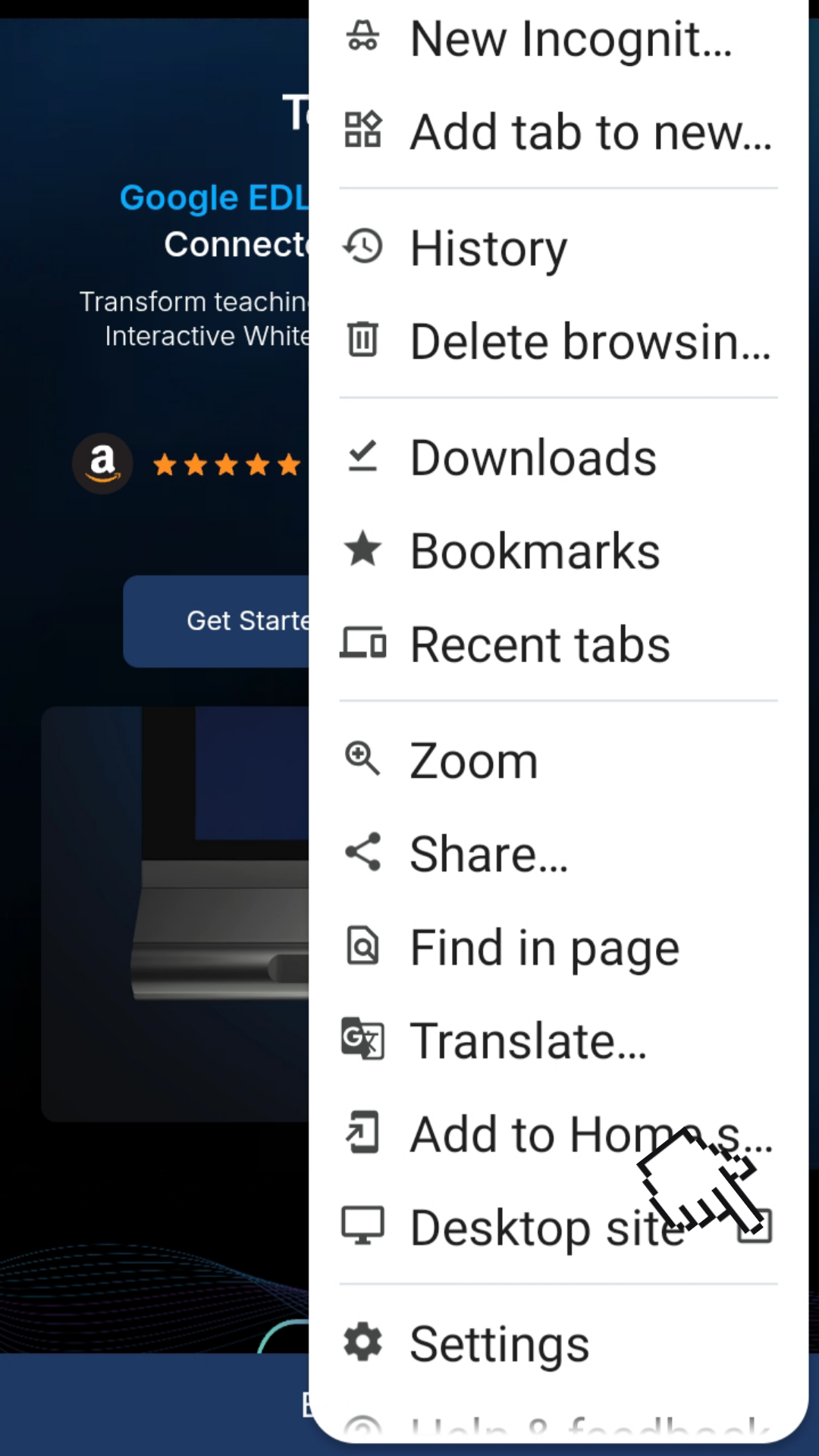
Step 3: Ultimately, just login as usual and follow the same steps!
This tool instantly removes the Teachmint viewer and gives you the raw Google Storage direct PDF link that you can download or open anywhere.